
Download Free Barcode Maker Software – barcode maker, barcode generator, barcode software, free barcode tool, generate barcode, create barcode, barcode app
Overview
Free Barcode Maker Software is a specialized mobile application designed to simplify the creation of professional-grade barcodes for a wide range of practical uses. The app serves as a digital tool for individuals and businesses seeking efficient solutions for product labeling, inventory tracking, and supply chain organization. With support for over 30 barcode formats, including Code 128, UPC, and EAN-13, the software provides flexibility in generating codes tailored to specific industry standards. This functionality is particularly beneficial for small retailers, warehouse managers, and entrepreneurs who require accurate, scalable labeling systems without the need for expensive enterprise software.
Target users include both novice users and professionals who value precision and ease of use. The app’s intuitive interface ensures a low learning curve, making it accessible to users without technical expertise. Real-world applications include tagging retail products, managing stock levels, and preparing shipping labels.
Its offline capabilities further enhance usability in environments with limited or no internet access, such as remote warehouses or field operations. The developer, Jason A. Bilbrey, has positioned the app as a reliable utility within the productivity category, offering a free version with optional Pro upgrades for advanced features.
This model supports widespread accessibility while maintaining a sustainable development path.
Key Features & Functionality
- Extensive Barcode Format Support: The app supports more than 30 barcode types, enabling users to generate codes that meet diverse industry standards. This includes common formats like Code 128, UPC-A, EAN-13, and QR codes, ensuring compatibility across retail, logistics, and inventory systems.
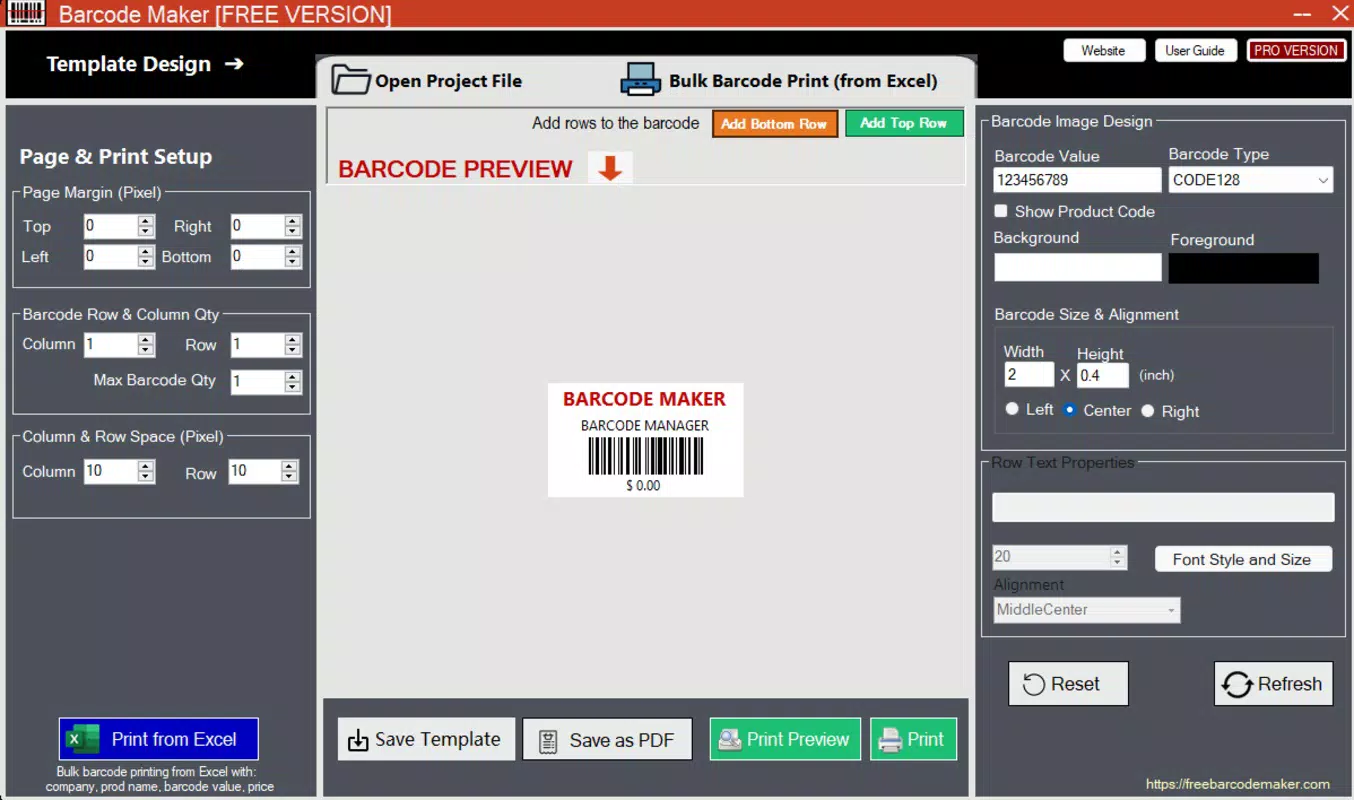
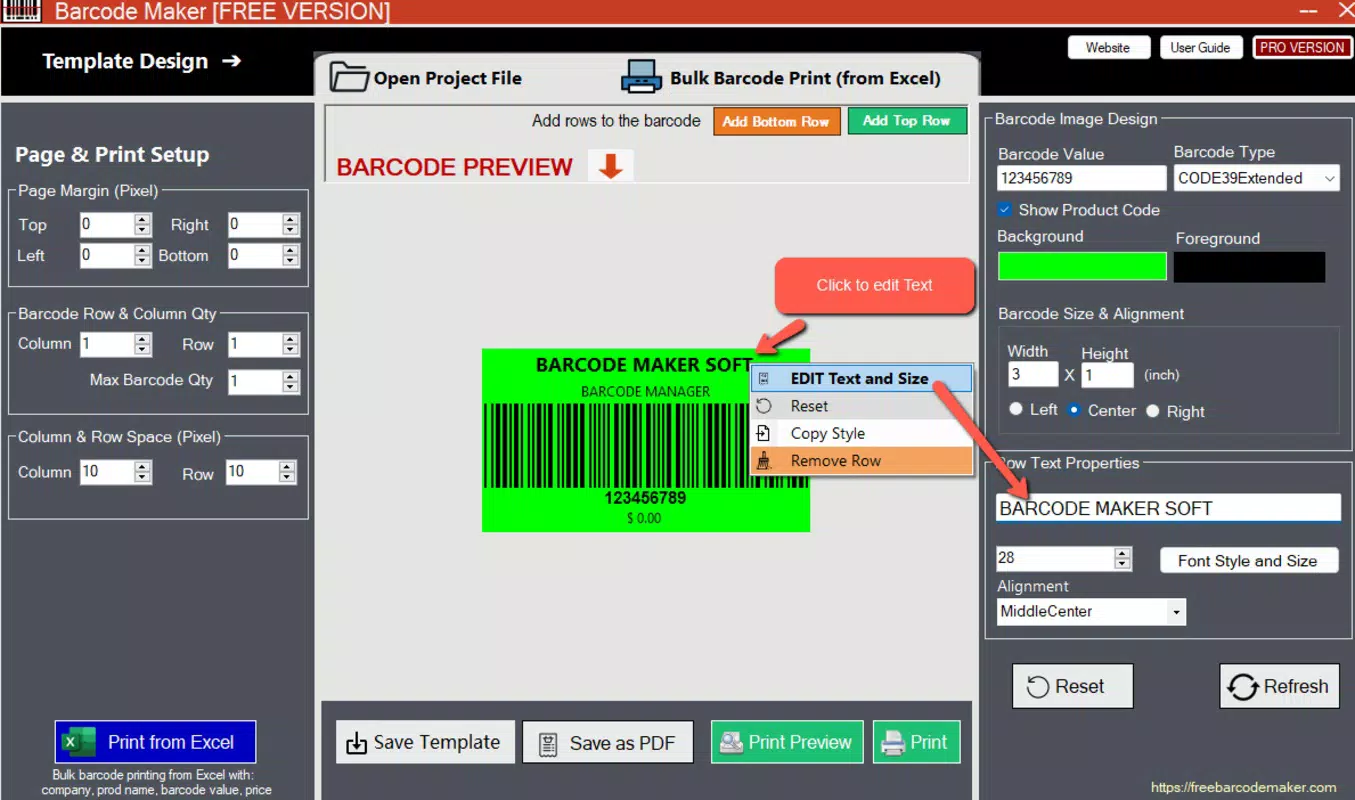
- Customization Tools: Users can adjust barcode size, color, font, and margins to align with branding needs or compliance guidelines. This level of control allows for visually consistent labeling across multiple products or documents.
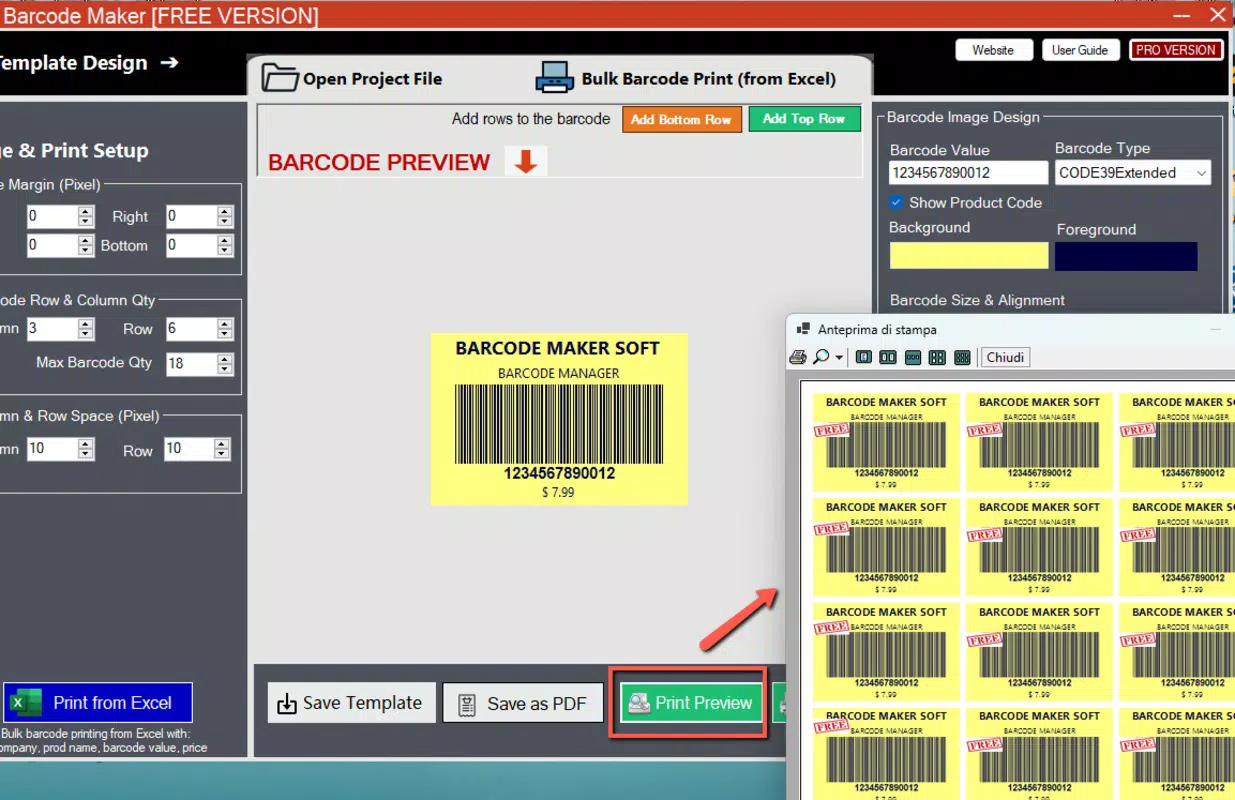
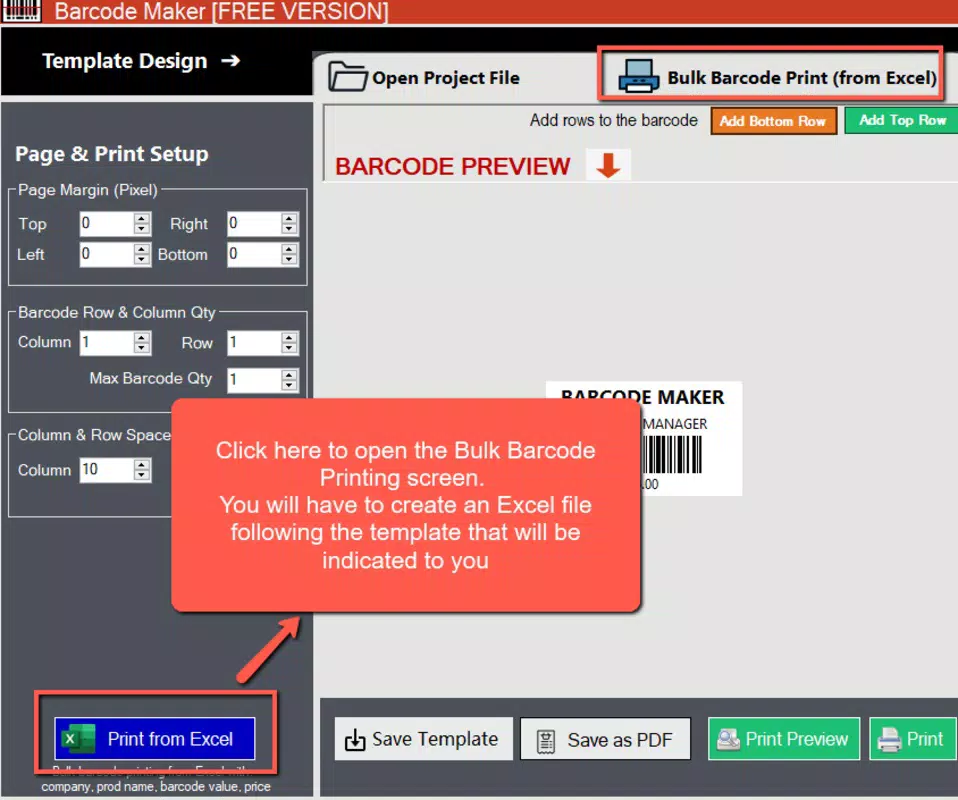
- Bulk Generation via Excel Import: The ability to import data from Excel files streamlines the process of creating multiple barcodes at once. This feature significantly reduces manual input time, especially useful for large-scale inventory updates or product launches.
- Offline Operation: The software functions without an internet connection, allowing users to generate and save barcodes anytime and anywhere. This ensures uninterrupted workflow in locations with poor connectivity.
- Intuitive User Interface: Designed with usability in mind, the app offers a clean layout and logical navigation, minimizing the need for training or external guidance.
For example, a small business owner can use the app to generate hundreds of unique barcodes for new product lines by uploading a spreadsheet, customize their appearance to match packaging design, and print them directly—without relying on cloud services.
Interface, UX & Performance
The user interface of Free Barcode Maker Software is clean and logically structured, prioritizing accessibility and efficiency. Navigation is straightforward, with clearly labeled buttons and menus that guide users through the barcode creation process. Visual elements are minimal but effective, ensuring that users can focus on core tasks without distraction. The layout adapts well to various screen sizes, providing a consistent experience across different Android devices.
Although the developer did not list formal performance metrics, the app appears to operate smoothly on standard Android hardware, with responsive touch interactions and quick rendering of barcode images. Stability is maintained during routine tasks such as data import and formatting adjustments. The app does not exhibit noticeable lag or crashes during typical usage scenarios. While specific device compatibility details were not provided, the 25.3 MB file size suggests optimized resource usage, which contributes to efficient performance on mid-range and high-end smartphones alike. The absence of background processes or excessive permissions further supports a lightweight and secure experience.
Platform Compatibility & Technical Requirements
Free Barcode Maker Software is available exclusively on the Android platform. The current version is 1.5, with a file size of 25.3 MB. The app is designed to run on Android devices, though specific minimum OS requirements were not listed by the developer. This lack of detailed information means users should verify compatibility with their device’s operating system before installation. The app’s lightweight size indicates it is optimized for a broad range of Android devices, including those with limited storage capacity.
Given that the app supports offline functionality, users can rely on it in environments where internet access is unreliable or unavailable. This makes it suitable for field workers, warehouse staff, and small business owners operating in diverse geographic locations. The developer did not provide additional technical details, such as RAM or processor requirements, so users should assess compatibility based on their device’s general performance and available storage.
Pros and Cons
- Supports over 30 barcode formats for maximum versatility
- Offers bulk generation through Excel file import
- Provides customization options for size, color, and margins
- Functions fully offline without internet dependency
- Free to download and use with optional Pro upgrade
- Intuitive interface suitable for beginners and professionals
- Minimum OS version not specified by the developer
- No official update frequency or release schedule disclosed
- Advanced features require a paid Pro version
- Limited information on export formats or printing options
- Compatibility with specific device models not confirmed
FAQ
Is Free Barcode Maker Software safe to download?
Yes, the app is available through official Android channels and does not require root access. The developer has not reported any known security vulnerabilities.
Can I use this app without an internet connection?
Yes, the software operates fully offline, allowing users to generate and save barcodes without needing an active internet connection.
Does the app support printing barcodes directly?
The app enables users to save barcode images locally, which can then be printed using external tools or connected printers. Specific printing integration was not detailed.
What file types can I import for bulk barcode generation?
The app supports importing data from Excel files, which is ideal for generating multiple barcodes from structured datasets.
Are there any hidden costs or in-app purchases?
The app is free to download and use. Advanced features are available through a Pro version, which is a separate purchase. No hidden fees have been reported.
Final Thoughts
Free Barcode Maker Software stands out as a practical, accessible tool for anyone needing to generate professional barcodes on the go. Its combination of format diversity, customization, bulk processing, and offline functionality makes it a valuable asset for small businesses, inventory managers, and entrepreneurs. The free availability lowers the barrier to entry, while the optional Pro upgrade offers room for growth. With a clean interface and efficient performance, the app delivers real-world utility without unnecessary complexity.
Users who manage product labeling, track inventory, or prepare shipping materials will find significant time savings and improved accuracy. Whether used in a retail setting, warehouse, or home-based business, the app meets core needs effectively. For those seeking a reliable, no-frills barcode solution, this tool offers strong value.
Download Free Barcode Maker Software now


